

Building a user-friendly app doesn’t just happen by accident. It takes careful planning, design, and above all, rigorous product testing. In this blog, we’ll delve into why product testing is crucial for app development and how it can drastically enhance usability.
The Basics of Product Testing
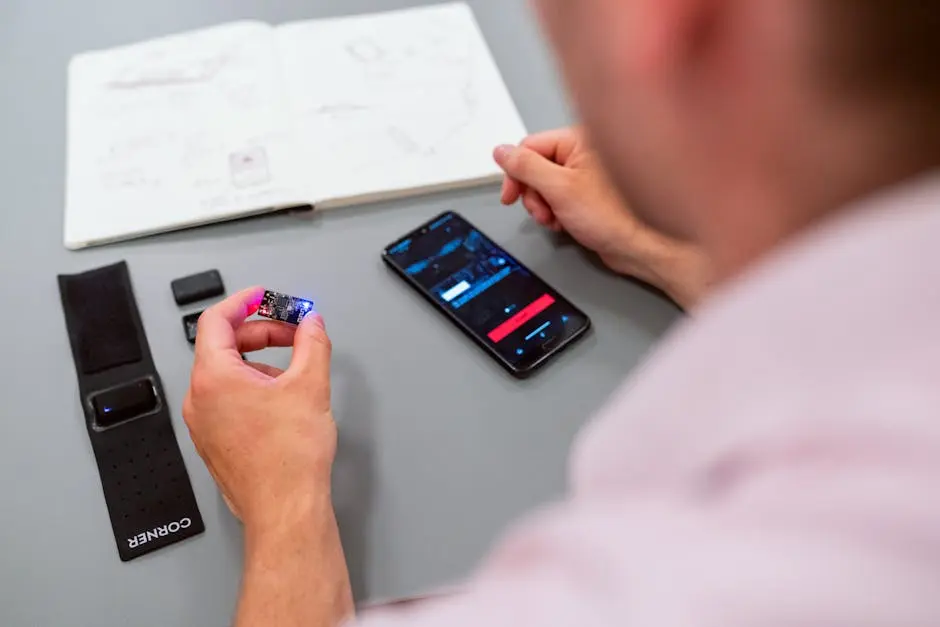
Product testing is an essential phase in the app development cycle. It involves evaluating a product’s features and functionality to ensure that the user experience meets certain standards before the app hits the market.
At the core, product testing aims to identify and resolve issues before users encounter them. This process involves a series of strategic steps, starting with defining the objectives and requirements of the app. Then, developers create a test plan, which outlines various scenarios to be tested. By simulating real-world conditions, these tests provide invaluable insights into the app’s behavior and performance. Not only do these evaluations ensure that the app functions as intended, but they also enhance user satisfaction by making sure every aspect of the app is user-friendly and intuitive.
Additionally, comprehensive testing helps reduce costs associated with post-launch fixes. Catching bugs early is not only a cost-effective measure, but it also ensures a smoother user experience. As highlighted in the importance of early testing, investing time and resources in this stage ensures that your app can stand out in a competitive marketplace. Ensuring a well-tested product before launch can significantly improve user retention and drive long-term success.
Why Usability Matters
Usability is at the heart of any successful app. If an app is difficult to use, even the most innovative features won’t save it. We’ll explore the various reasons why usability can make or break your app.
A primary reason usability holds such importance is that it directly affects user retention. When users find an app easy to navigate, they are more likely to return and recommend it to others. Research has shown that apps with excellent usability foster higher levels of user engagement and satisfaction, leading to increased downloads and revenue. Furthermore, intuitive design reduces the need for user training and support, saving both time and resources for companies.
Moreover, usability impacts how users perceive a brand. A frustrating user experience can tarnish a company’s reputation, while a seamless app can enhance trust and credibility. According to the principles of effective usability design, an app must not only be functional but also enjoyable to ensure users form positive attachments to it. In the digital age, a strong user experience is often the distinguishing factor that sets successful apps apart from the rest.
Different Types of Product Testing
From usability testing to beta testing, there are various methods to evaluate an app’s performance. Understanding these testing types will help you choose the right one for your app’s unique needs.
Usability testing involves observing real users as they interact with the app to identify usability flaws. This type of testing helps in refining the user interface and ensuring the navigation logic aligns with user expectations. Beta testing, on the other hand, involves releasing the product to a selected group of users outside of the development team. These users provide feedback on bugs and usability issues, which can then be addressed before the general release.
Another crucial method is automated testing, which uses software tools to execute tests on the app’s functionality without human intervention. Automated testing is particularly effective in repetitive tasks or when running a suite of regression tests. A comprehensive overview of testing types illustrates the diverse strategies that can be employed, each serving to bolster the app’s reliability and user appeal.
How to Conduct Effective Usability Tests
Effective usability testing involves planning, execution, and analysis. Here, we’ll guide you through the steps to conduct tests that yield meaningful insights into your app’s user experience.
The first step is identifying the target audience and creating user personas that represent typical users of your app. This helps in setting realistic user scenarios during testing. Next, define clear objectives and success criteria to measure test outcomes. These criteria might include completion rates for specific tasks or overall satisfaction ratings.
Once the test is planned, recruiters find participants who match the user personas, providing them with tasks that one’s real customers might perform. Observation during the test session is crucial, as it can reveal unexpected user behaviors that highlight app design flaws. After the session, analyzing both qualitative and quantitative data gathered during the tests can help pinpoint areas of improvement. Considering the best practices in usability testing ensures these evaluations drive product enhancements that are aligned with user needs.
Common Usability Issues and Solutions
Discover common pitfalls that developers encounter with usability and learn practical solutions to overcome these challenges. Addressing these issues early can save time and resources in the long run.
One frequent issue is complex navigation. Users can become easily frustrated if they can’t find what they’re looking for quickly. Minimalistic design with clear icons and well-structured menus can alleviate this problem. Furthermore, unclear error messages often confuse users; error messages should be descriptive and offer solutions when possible.
Additionally, performance lags can drastically impact user satisfaction. Ensuring the app is optimized to run smoothly across various devices and operating systems can prevent potential drop-offs. By understanding and addressing these usability challenges, developers can create an app that not only meets user expectations but exceeds them.
Leveraging User Feedback for Continuous Improvement
User feedback is a goldmine for insights into app performance. We’ll discuss strategies for gathering and interpreting feedback to make continuous improvements to your app’s usability.
Collecting user feedback can be done through surveys, user reviews, and direct user interviews. Tools like feedback forms incorporated directly in the app can prompt users for their insights post-interaction. Analyzing this feedback can identify trends or common issues users are facing.
Furthermore, implementing a system for feedback loop ensures that users know their voices are heard and valued. This involves not only collecting comments but also acting on them, making updates, and informing users of these changes. Understanding the importance of an effective feedback loop is crucial for maintaining an evolving product that adapts to user needs over time. Overall, feedback-driven improvements play a pivotal role in maintaining and enhancing app usability.
The Key to App Usability Success
Incorporating comprehensive product testing into your app’s development process is not just an option—it’s a necessity. Testing helps you create a product that is not only functional but also delightful to use. By understanding your audience and continuously improving your app through testing, you can ensure long-term success and user satisfaction.